Disclosure: This website participates in affiliate programs.
As an Amazon Associate, I earn from qualifying purchases.
by Pvera
20/01/2026
Balancing lectures, assignments and a busy social life means students in Europe rely on their devices more than ever. With hybrid classes and remote collaboration, investing in the right accessories can make a huge difference to productivity. Choosing wisely is even more important in Europe because new regulations mean devices sold after 28 December 2024 must use a USB‑C port for charging, and the rule extends to laptops from April 2026 . That common‐charger mandate is great for the planet and for your wallet – it reduces electronic waste and lets you use one charger for phones, tablets and other devices . It also means there’s no excuse for sticking with outdated cables or proprietary ports. Below are some carefully selected accessories – backed by reviews and EU‑specific considerations – that will help you get more done without breaking the bank.

1 — Connect everything with a multi‑port USB‑C hub
Modern MacBooks and ultrabooks often offer little more than a couple of USB‑C ports. A multi‑port hub is a must if you want to connect displays, USB drives, SD cards or an Ethernet cable. Kiwi Electronics notes that a compact hub can transform a single port into HDMI, USB‑A, SD and Ethernet connections, and recommends looking for models with 100 W pass‑through charging and durable aluminium casings . Engadget’s testing ranked the UGreen Revodok Pro 109 as the best overall hub in 2026. This eight‑in‑one adapter includes an HDMI 2.0 port supporting 4K output at 60 Hz, micro‑ and full‑sized SD slots, three USB‑A ports (two 5 Gbps and one 10 Gbps) and a single USB‑C data port. The ten‑inch cable gives flexibility for desk setups, and the hub can deliver 100 W of power to your laptop while keeping one downstream USB‑C port available for a keyboard or webcam . Engadget also praised its robust build and argued that the extra USB‑A port justified its slightly higher price .
A multi‑port USB‑C hub with card readers and an SSD will make transferring photos, research data or project files painless. Cloud services like Google Drive and Notion ensure that your notes and assignments sync across devices. Combining local and cloud backups protects you from hard drive failures or accidental deletions.
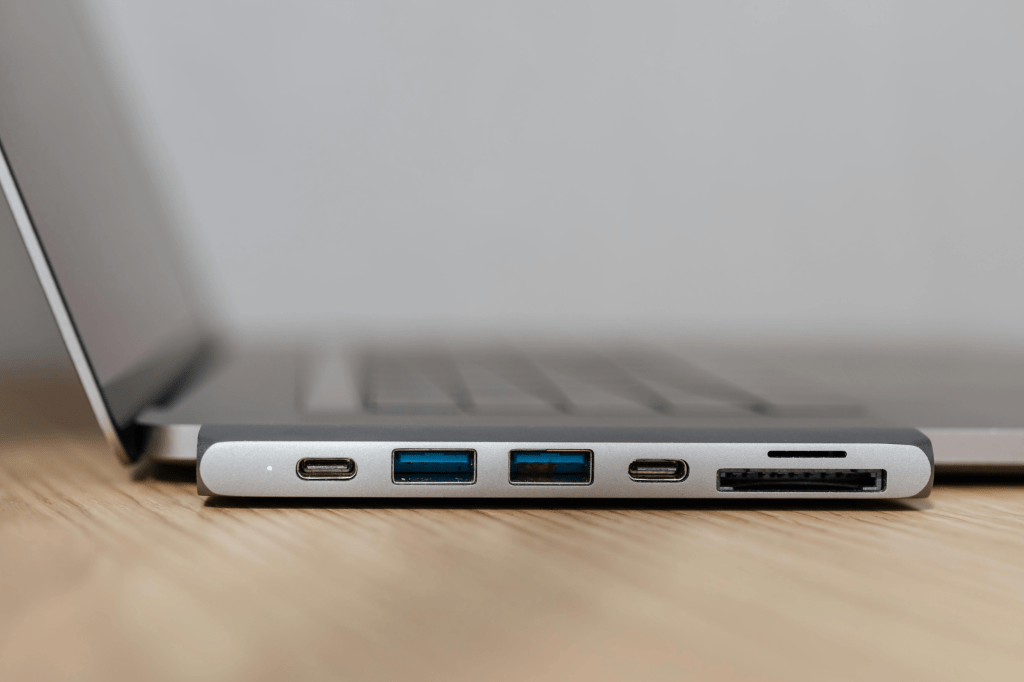
If you’re on a budget, Kiwi Electronics suggests choosing a hub with a braided cable for longevity and ensures it supports Power Delivery (PD 3.0) to keep your laptop charged while you use peripherals . Having a hub that matches EU charging standards will future‑proof your setup and prevent cable clutter.
2 — Stay powered up with fast chargers and high‑capacity power banks
Running out of battery during a lecture or commute is frustrating. Portable power solutions are therefore high on every student’s list. Kiwi Electronics recommends a 20 000 mAh or larger power bank with multiple USB‑C ports and GaN technology, which delivers high power in a smaller, cooler charger . Newer power banks even support MagSafe or wireless charging for compatible phones and ear‑buds .
Engadget’s 2026 power‑bank tests found the Anker Laptop Power Bank 25K to be the top overall choice. With a capacity of 25 000 mAh (90 Wh) it can recharge a smartphone four times and add about 68 % charge to a MacBook Pro . The brick includes two built‑in USB‑C cables (one retractable) that act as carrying straps, plus an extra USB‑A port; a digital display shows remaining charge and output wattage . Reviewers noted that the bank’s ability to deliver fast power and its integrated cables outweighed its slightly lower capacity compared with some competitors . For those needing an everyday backup rather than laptop charging, the Anker 20 000 mAh power bank suggested by Astropad is enough to keep phones and tablets alive and supports a wide range of devices, from iPhones and Samsung phones to Apple Watch and AirPods .
Alongside power banks, invest in a GaN wall charger with at least two USB‑C ports so you can charge your laptop and phone simultaneously. Opt for models with EU‑compatible plugs; many brands include interchangeable heads for UK, EU and US sockets.
3 — Focus in any environment: noise‑cancelling headphones and ear‑buds
Between roommates, cafés and busy libraries, finding a quiet spot is tough. A good pair of active‑noise‑cancelling (ANC) headphones creates a portable study zone. The Astropad team stresses that quality headphones help you stay focused and avoid distracting notifications . Their pick – Soundcore by Anker Q20i Hybrid – proves that you don’t have to spend hundreds on noise cancellation. The Q20i models are affordable yet offer all‑day battery life, multipoint Bluetooth that lets you connect to both your laptop and phone, and comfortable ear‑cups . Over 30 000 customer reviews back their reliability .
Kiwi Electronics highlights key features to look for in 2026: 40+ hours of battery life, multipoint connectivity and transparency modes that allow you to hear ambient sounds when walking around campus . Premium models now use AI to adapt noise cancellation to your surroundings. If your budget is limited, consider ANC ear‑buds with silicon tips; they offer similar isolation but take up less space in your bag.
4 — Upgrade your note‑taking: digital pens, matte screen protectors and ergonomic stands
Writing on tablets has changed dramatically. Many European students adopt iPads or tablets as their main note‑taking tool, but the glass surface can feel slippery. The Rock Paper Pencil matte screen protector, recommended by Astropad, adds texture and reduces glare to make writing feel like pen on paper . Unlike adhesive protectors, it uses static cling so you can apply and reuse it repeatedly . Kiwi Electronics adds that digital pens like the Apple Pencil (Gen 3) or smart notebooks like ReMarkable 3 sync handwritten notes directly to the cloud, letting you search text and access it from any device .
Ergonomics matter too. Long study sessions on flat surfaces can strain your neck and wrists. Kiwi Electronics recommends lightweight foldable laptop and tablet stands to raise the screen and improve posture . Astropad’s Compact Easel stand uses an aluminium alloy frame and offers seven angle options, from 8.7° to 32.5°, to accommodate drawing or typing. It folds flat and dissipates heat effectively . If you prefer to extend your laptop or tablet display, the Luna Display dongle turns an iPad or another Mac into a second screen. It supports modes such as computer‑to‑iPad, computer‑to‑Mac and even headless mode for Mac Mini or Mac Pro . Dual‑screen setups are a productivity secret for many students, providing extra space for research, video calls and note‑taking.
5 — Secure your data and manage storage
Never underestimate the value of backing up your work. Kiwi Electronics recommends upgrading from slow USB drives to portable SSDs, which are fast, shock‑resistant and can store large files . Models with hardware encryption and biometric locks are increasingly popular in sensitive courses like medicine or engineering . Still, don’t completely abandon simple flash drives – an Amazon Basics Ultra Fast USB flash drive provides 128 GB of reliable storage for just $15 . Keep one on your keychain so you’re never stuck without your files.
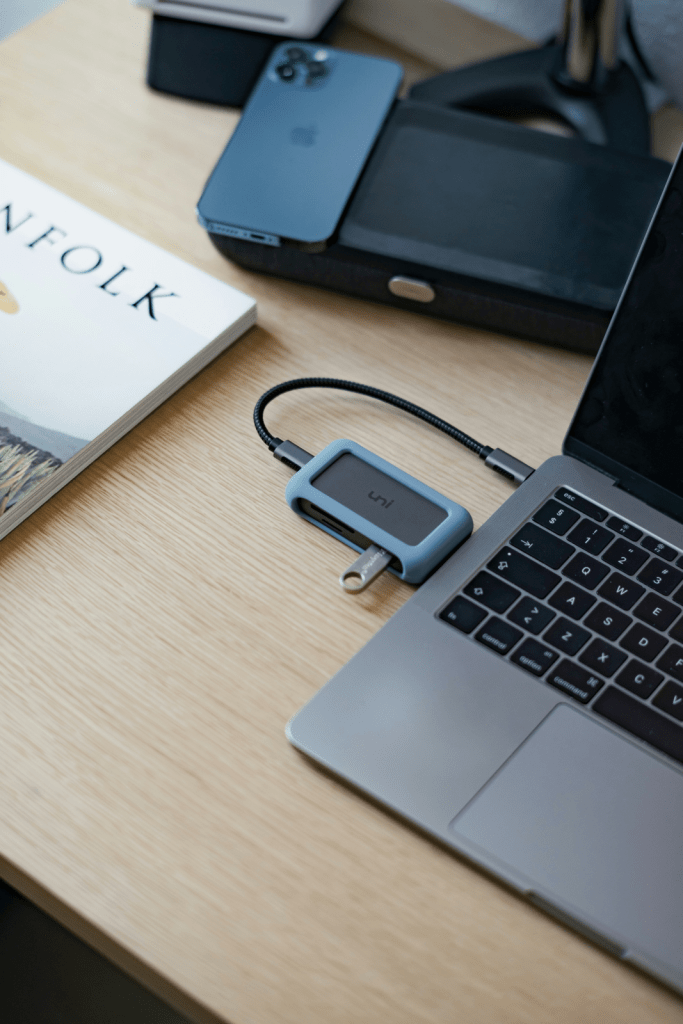
A multi‑port USB‑C hub with card readers and an SSD will make transferring photos, research data or project files painless. Cloud services like Google Drive and Notion ensure that your notes and assignments sync across devices. Combining local and cloud backups protects you from hard drive failures or accidental deletions.
6 — Additional essentials for a comfortable study environment
Several small accessories can dramatically improve comfort and organization:
- Sunrise alarm clock – Getting out of bed for an 8 AM lecture is easier when your body wakes up gradually. Sunrise clocks emit reddish light that grows into bright white, simulating a natural dawn to help you wake up gently . Models with built‑in sound machines offer white noise or nature sounds and allow you to adjust brightness levels .
- Smartwatch – Wearables like the TOOBUR smartwatch let you answer calls, receive notifications and control smart‑home devices straight from your wrist. They also track your heart rate, stress levels and workouts across more than 100 sports modes .
- Electric mug warmer – Keep your coffee warm during long study sessions. Astropad’s pick includes an auto shut‑off and a night‑light that changes colour with temperature .
- Cord organizer – Cable clutter adds stress. A zippered Miavers electronics organizer has multiple sections for cables, adapters and pens, making it easier to find what you need .
- Smart speaker – A small assistant like Google’s Bluetooth speaker offers powerful sound, voice‐controlled timers and the ability to dim lights or control other smart devices . It’s made from 70 % recycled plastic , aligning with Europe’s growing eco‑consciousness.
- Smart backpacks – Tech‑friendly backpacks with built‑in USB ports, RFID‑blocking pockets and anti‑theft zippers keep your laptop and accessories safe and charged while on the move .
7 — Sustainability and long‑term thinking
European students are increasingly eco‑conscious, and manufacturers are responding. The EU common‑charger law reduces waste by letting you use one USB‑C charger for multiple devices . Kiwi Electronics encourages choosing accessories made from recycled materials and investing in durable, repairable gadgets over cheap, disposable ones . Smart speakers like Google’s Nest Audio are made from 70 % recycled plastic , and biodegradable phone cases or solar‑powered power banks show how sustainability can be built into everyday tech .
The key to building a productive, planet‑friendly study setup is thinking of your accessories as a personal ecosystem. Start by identifying your most‑used devices, then invest in one high‑quality accessory per category: a hub, a charger, a stand and reliable storage . Ensure everything is compatible with USB‑C and European voltages. A streamlined kit means less friction, more focus and a lower environmental footprint.
Conclusion
Making the most of student life in Europe is about more than having the latest laptop or phone. It’s about building an efficient, ergonomic and sustainable toolkit that empowers you to study anywhere, collaborate easily and take care of your health. From multi‑port hubs and power banks to matte screen protectors, smart speakers and cord organizers, these accessories will help you stay organized and focused. With EU USB‑C rules now in force and laptops joining the standard in 2026, adopting compatible accessories is both sensible and future‑proof . Investing in quality and thinking long term will save you money, reduce waste and make your academic journey smoother. Build your personal study‑tech ecosystem and you’ll be ready for any class, project or adventure Europe throws your way.
 Home
Home 
Leave a comment